
AI Test Drive – Browser Animation
In mid-2026, are AI models powerful enough to understand the nuances and limitations of a project like this?
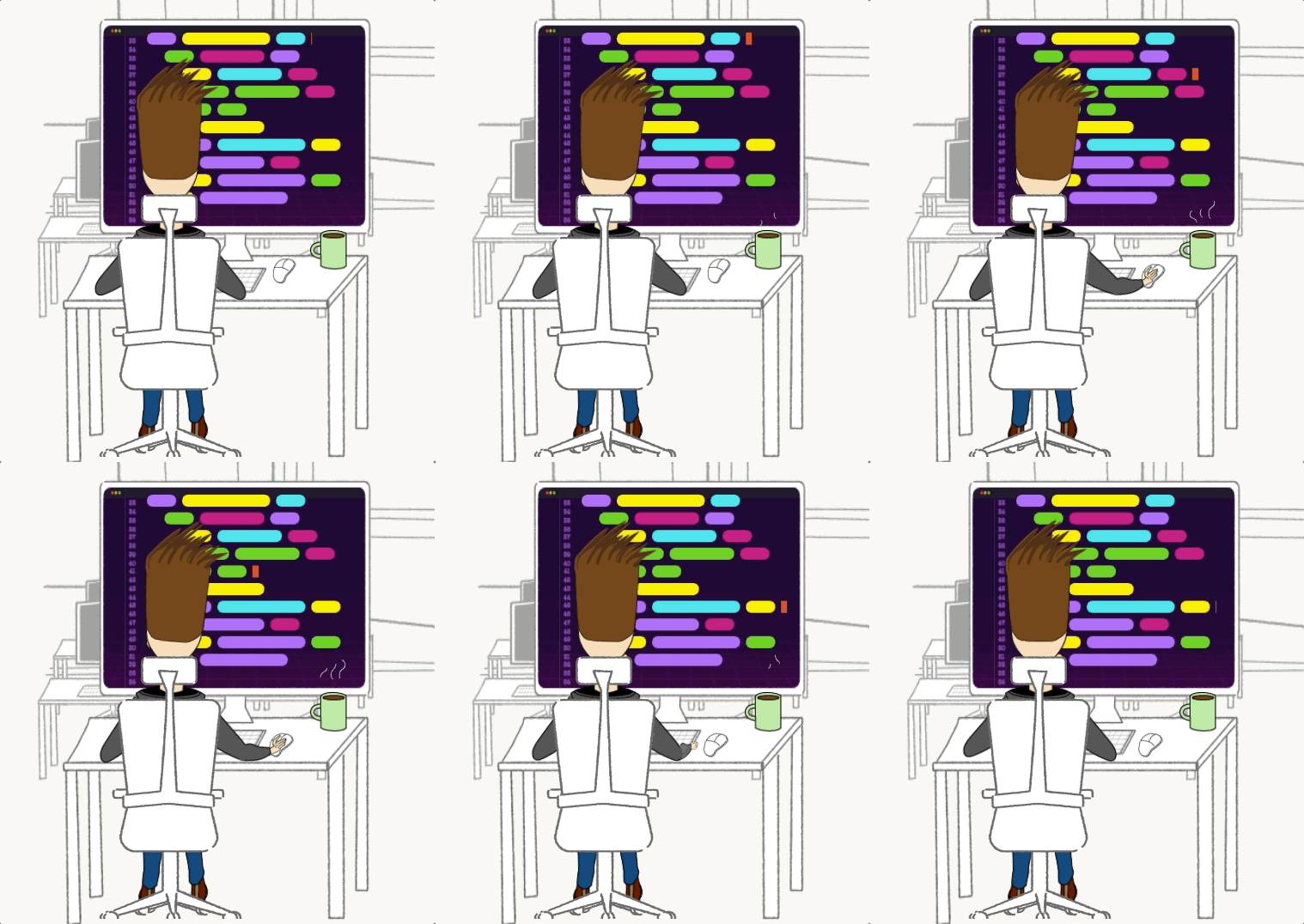
When I launched this blog, I put a lot of thought into the animation on the home page. To save you a click back there, I’ve embedded the same component here below.
This is not a prerecorded GIF or video file. The animation is done programmatically.
Colored “blobs” on the monitor are randomly generated with nested indentations to look like real code. A blinking cursor follows the motion of the mouse and keyboard, giving the illusion that the code is being edited. The activity on the monitor is synchronized with the movements of the character.
The combined effect is magical. There’s a cartoon version of me on the screen, working hard on his latest project.
Since it’s not prerecorded, the animation will never end. The code blobs will morph and change the longer you watch them. If you refresh the page, you’ll get a new arrangement, probably one that’s never been seen before. If you and I were to sit next to each other and read this article on different devices, the code that my character edits would be unique to our screens.
This is my favorite kind of side project – where creativity and ingenuity, in addition to technical knowledge, are crucial to success. The final product has a way of transcending 1,300 lines of TypeScript into something that creates joy – a small reminder that computers are fun.
Can AI Do This?
I built this animation a few years ago, before AI coding tools were widely available. I worked through this project in a way that now seems old-fashioned: doc-reading, Googling, trial-and-error.
That process taught me a lot about the React component lifecycle, including how to avoid re-renders. The animation is essentially an infinite chain of Promises, executing one after the other. I could not allow the component to re-render because doing so would start a second, parallel Promise chain that would fight for control of the character. The “no re-renders” requirement meant that updating state, probably the most heavily-used feature in all of React, was off the table. I had to find a way to work around it.
I won’t bore you with the technical details. My point is that this was not a typical frontend web project.
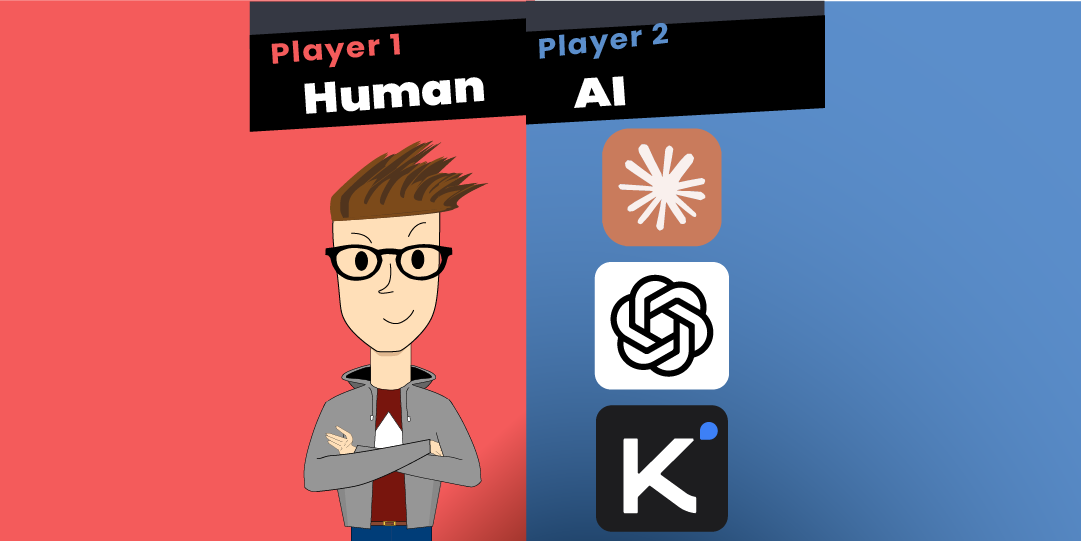
A few years have passed since I built this, and we now find ourselves in the age of the vibe coder. The big software daddies in Silicon Valley have blessed us with AI coding assistants. But in mid-2026, are they powerful enough to understand nuances and work around limitations in a project like this?
At the time of this writing, Anthropic has just redeployed Fable 5, the first of its all-powerful Mythos class. OpenAI has been close behind with the release of GPT-5.6. At the same time, Moonshot AI, a Chinese lab, has released Kimi K3. Large Language Models are being commoditized, and vibe coders are spoiled for choice.
These are the models I’ll put to the test in tackling this project. I know Gemini 3 has a coding assistant, but you need a Google Cloud account to us it and I fell asleep reading their setup docs, so it’s disqualified as far as I’m concerned.
How A Human Did It
Let’s begin with a tour of my own code. It’s a necessary point of comparison to how the AI models handle the task. It also gives me the opportunity to talk about how smart and creative and clever I am, so buckle up.
The project is composed of 4 smaller systems called “layers,” with each layer being responsible for one part of the animation.
Layer 1 – Background Image
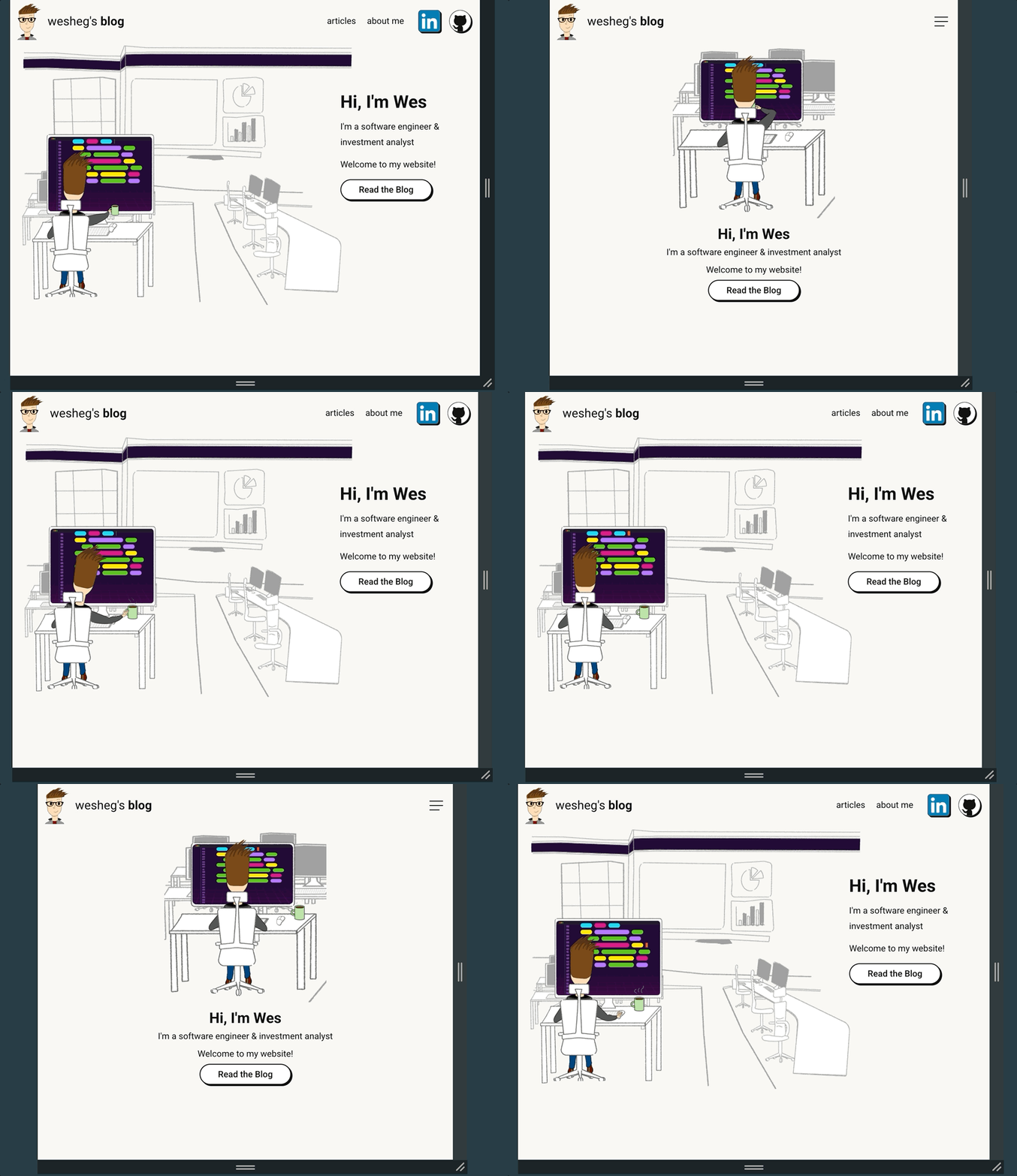
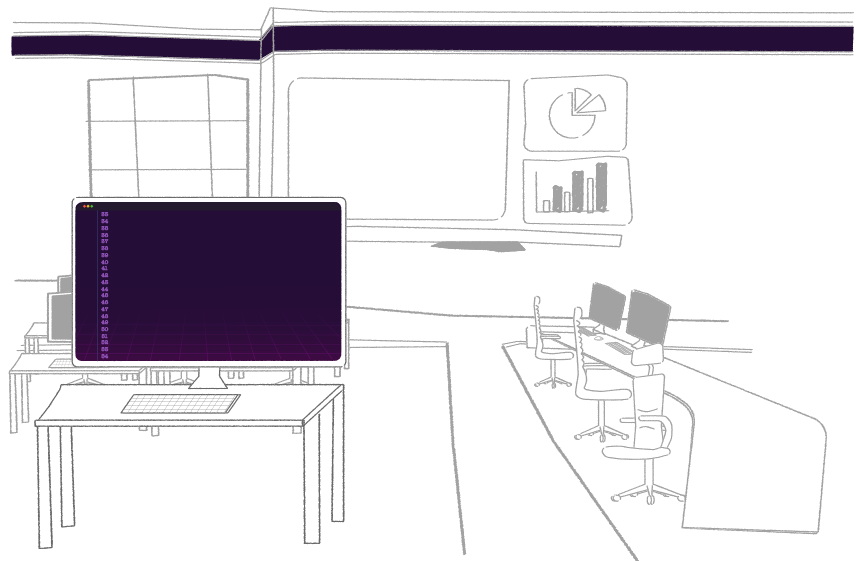
The first layer is a static background image. Black and white, except for a large purple monitor screen. Adobe Illustrator was the only tool necessary here. The only complexity in this layer is its responsiveness to screen size.
Small Screen Sizes
smaller than 1,000 pixels.
Large Screen Sizes
Layer 2 – Animated Code
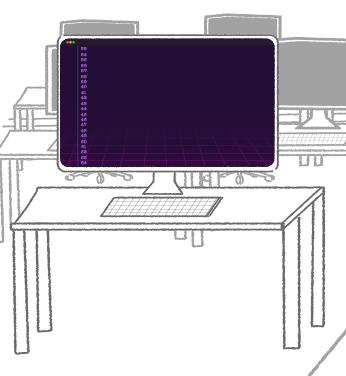
The second layer draws shapes on the purple monitor. It creates the colored blobs, blinks the cursor, and moves these objects around.
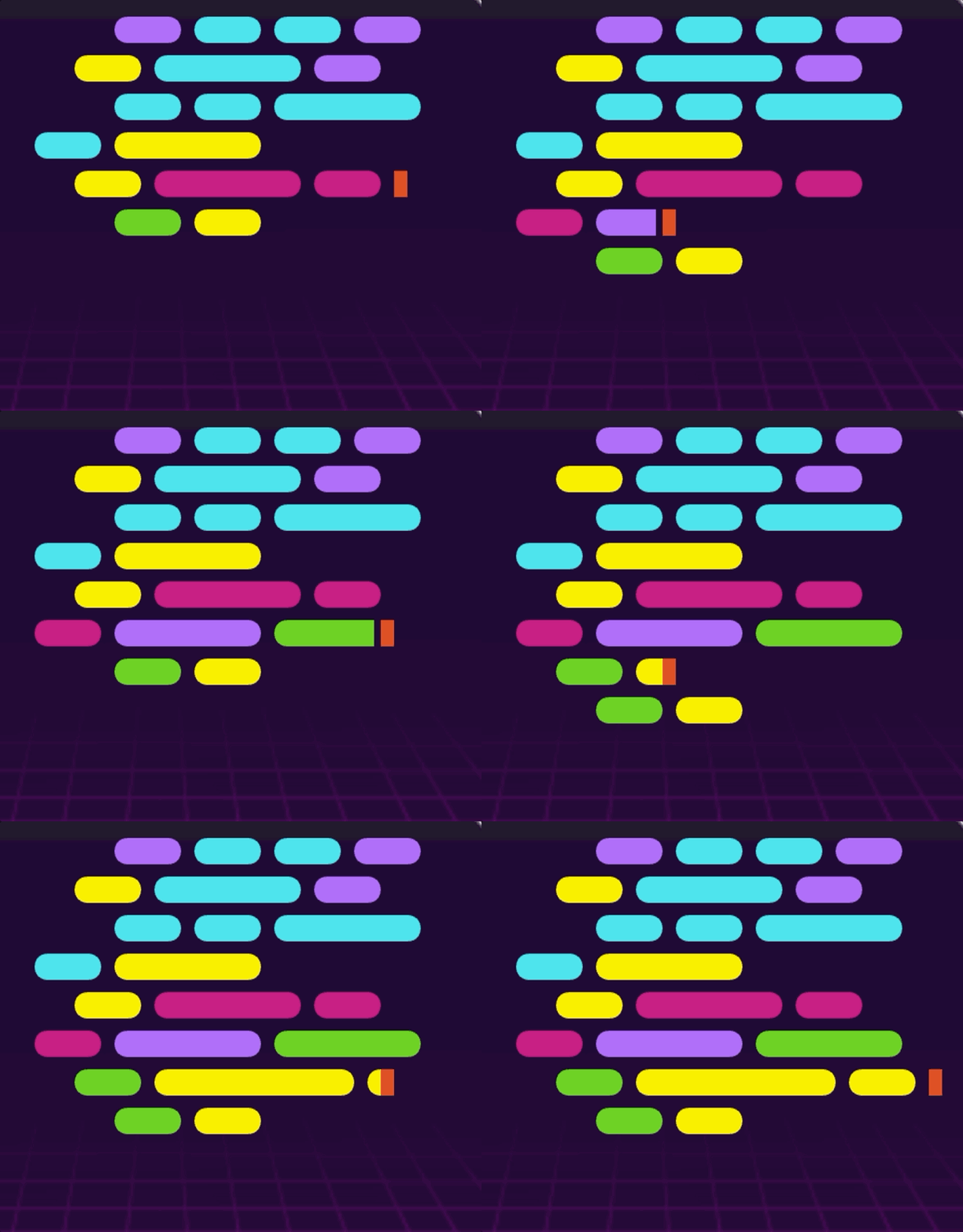
placed on top of the background image.
This layer is driven by a small animation engine I built with the HTML Canvas API. I placed a <canvas> element on top of the purple monitor and divided the space into a 36×10 grid: 10 lines of 36 characters, 8 pixels per character. Code blobs are generated in a variety of colors and sizes. The engine keeps track of which blobs are on which lines as well as the current position of the cursor.
Layer 3 – Character Animation
The code blobs are updating nicely, but I need it to look like someone is editing them. The third layer is the guy at the desk.
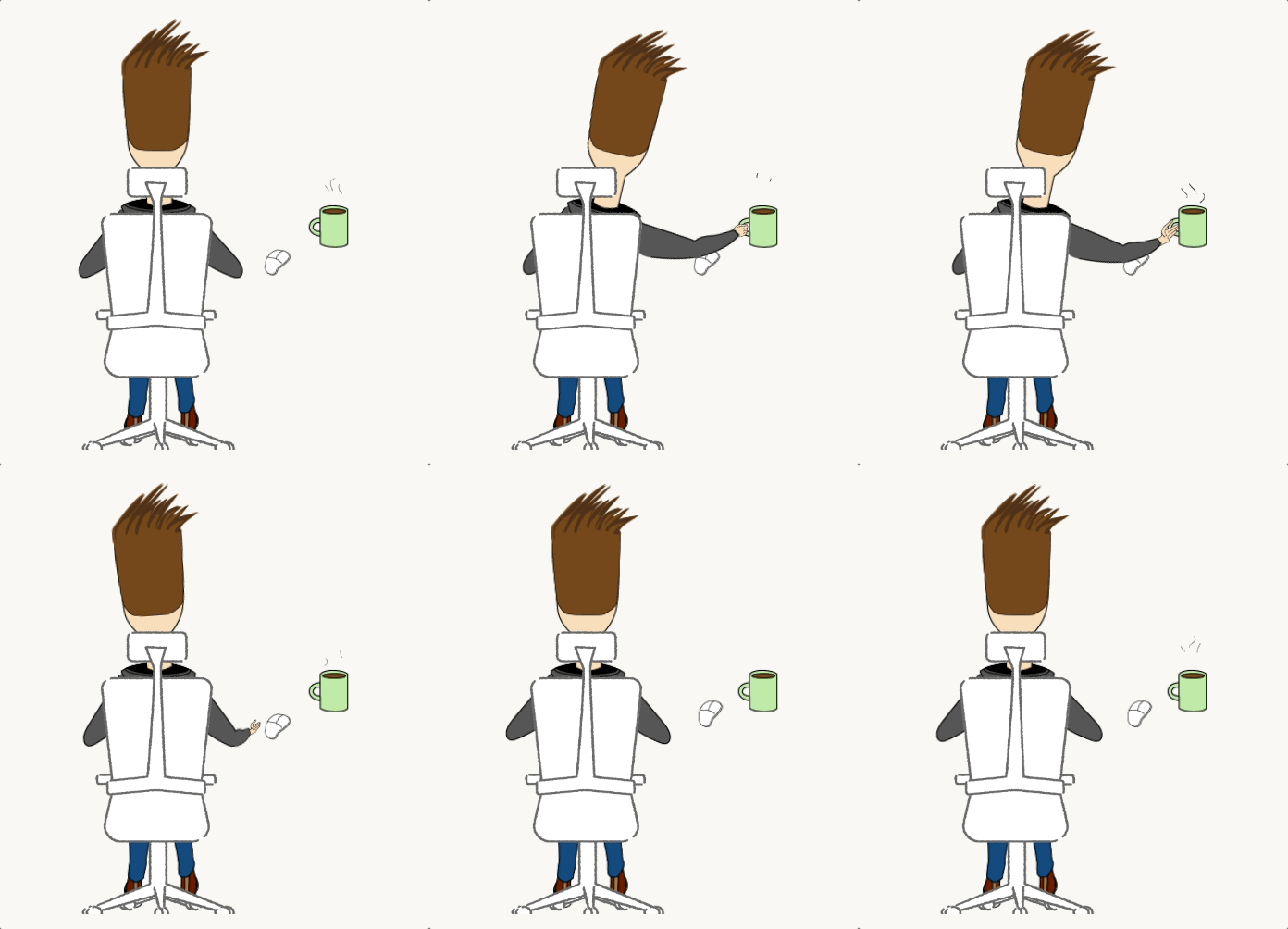
Seated comfortably in front of the screen is a cartoon version of myself. This is done with a Lottie animation.
Each of the character’s limbs is a separate image file that moves independently. The Lottie’s JSON data mathematically describes where each image needs to be and when. The data is fed to an open source package called lottie-react, which is admittedly doing most of the heavy-lifting required to render the animation to the screen. The challenging part for me was generating the Lottie.
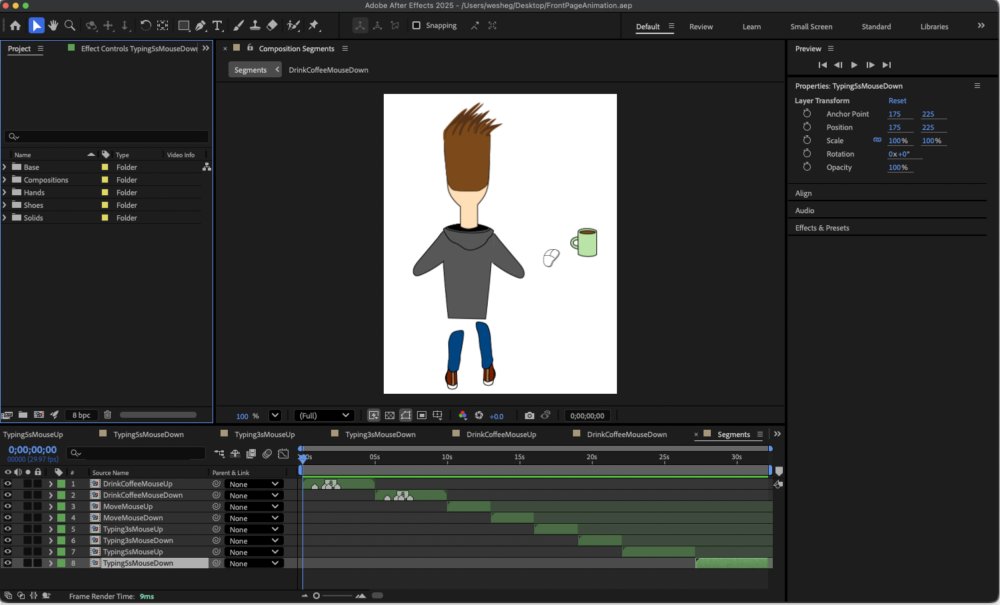
I used Adobe Illustrator to draw the images, and Adobe After Effects to rig the animation. LottieFiles provides an After Effects plugin that exports the project data to Lottie’s JSON format.
The entire exported animation is about 30-seconds long, contains 964 frames, and weighs about 270KB. The timeline is subdivided into eight smaller segments with names such as “drink coffee,” “move mouse,” “type for 3 seconds,” etc. All of the segments start and end on the same frame, which allows me to play them in random order without a visible stitch.
Layer 4 – The Puppet Master
The three previous layers are independent. None of them are aware of the existence of the others, but I need them to form a cohesive animation. This is the job of the fourth layer, which I call “the puppet master.”
It begins by randomly selecting an animation segment, for example, “move the mouse down.” The puppet master knows that this movement is on frames 300-390 of the character’s Lottie animation and lasts about 3 seconds. From there, it randomly selects a number of lines that the cursor should move down. Two Promises are initiated – one for the the Lottie animation, and another for the code blob movement. The puppet master waits for both Promises to complete, and then repeats this process until you navigate away or close your browser.
I’ve spared you from the technical detail, but this is the basic framework I used to complete the project: divide the animation into layers, and build an orchestrator to make the parts seem like a whole.
Let’s see how the AI models handle this complexity.
Judging Model Performance
I’m writing this article for three reasons.
- Document and explain one of my side projects
- Explore the latest agentic workflows
- Observe how these models deconstruct a complex task
In pursuit of #3, I won’t give the models specific technical instructions. “Vibe coding” is about controlling the high-level direction of the project and letting AI handle the details. How can I appreciate the capabilities of these tools if I’m micromanaging every decision they make? When I coded this project by hand, I used Promise-chaining, Lotties, and the HTML Canvas API, but are there other (possibly better) approaches that AI can teach me?
But the models aren’t starting from nothing. They’ll get the image files, color palette, and some screenshots that help describe what I’m trying to do. This gives AI its best chance to succeed and simplifies the process of judging the output since I can just compare it to my original work.
Here’s what I’ll be looking for when the models complete the task.
- Is it production ready? – Could I take exactly what AI gives me and deploy it to production? The end result should be an animation that loops infinitely, resizes seamlessly, and looks good.
- Cost efficiency – The fewer tokens used to complete this task, the better. I’m paying for this myself, so I have no intention of letting AI run away with my wallet.
- Resource efficiency – Respect the user’s browser. As a frontend project, this code runs on the client. The browser tab that loads this component should not use more than 150MB of RAM. The total file size of the output will also be considered.
- Maintainability – Could a human developer understand the output and make changes to it in the future?
- Minimal Supervision – How much did I have to babysit the model? Could it fully understand the problem and iterate on its own work without much follow-up from me?
Starting the Agentic Loop
All the models start with the same resources.
- A
/staticdirectory containing all the necessary image files - An
/examplesdirectory with screenshots of how a single frame of the completed project should look - CSS files with the color palette for the code blobs.
- An
instructions.mdfile with the opening prompt.
In a typical loop, the agent carries out a task until a condition is met. Ideally, that condition is verifiable – a passing test, resolving all comments, answering all emails, etc. Since this is a visual component, measuring success is much more subjective, so I’ll have to look at the output to determine if the task is complete.
Here we go!
Claude Fable 5
Claude began by installing a Python library named Pillow which it used to process the screenshots I gave it in the /examples folder. It measured the size of the screen and relative distances between the character’s body parts. The model studied the images for about 20 minutes before writing any code.
When it finally did generate code, Claude installed Playwright and spun up a local development server so it could check its work. The model compared the results to the initial screenshots and iteratively made adjustments to its own code.
Rather than use an infinite chain of Promises, which was my approach, Claude built the entire animation using generator functions.
/**
 * TypeScript generator functions
 * produced by Claude Fable 5
 */

function* moveHand(
  a: Animator,
  to: AnchorName,
  ms: number
): Seg {
  a.ctx.hand = {
    from: a.ctx.hand.to,
    to, t: 0
  };
  yield* tween(ms, (t) => {
    a.ctx.hand.t = t;
  });
}

/**
 * Step the text cursor row-by-row toward
 * a target line (arrow-key style).
 */
function* navCursor(
  a: Animator,
  row: number
): Seg {
  row = clamp(
    row,
    0,
    a.code.lines.length - 1
  );
  while (a.code.cursor.row !== row) {
    const dir = Math.sign(
      row - a.code.cursor.row
    );
    a.code.cursorToRow(
      a.code.cursor.row + dir
    );
    a.emit();
    yield { d: rand(120, 180) };
  }
  yield { d: rand(300, 600) };
}
I don’t know a single human that uses generator functions in their TypeScript code, but it actually bypasses a lot of problems that I encountered with Promises. Claude represented each animation segment as an iterable that could be looped over to produce the frames. To avoid visible stitches, the model relied on a few keyframes which would start and end each segment.
Claude Fable 5 Results
The results are impressive. The hardest part of this project is keeping the screen updates in sync with the character’s movements, and Claude Fable 5 handled this well. It came up with a novel approach using generators that would not have occurred to me.
There are some visual bugs that need manual fine-tuning, but Claude was able to get this project to about 90% ready for production.
AI Report Card

Claude Fable 5
| Production Ready | ||
|---|---|---|
| Code Animation | ✅ | |
| Character Animation | ❌ | |
| Animations Are Synchronized | ✅ | |
| Loops Infinitely | ✅ | |
| Cost Efficiency | ||
| Token Usage | 915,000 | |
| Monthly Subscription | £18 | |
| Additional Usage Credits | £25 | |
| Time to Completion | 30 min | |
| Resource Efficiency | ||
| Browser Tab RAM | 100MB | |
| Total Size of Output | 60KB | |
| Maintainable Code | ✅ | |
| Minimal Supervision | ✅ | |
GPT-5.6 Sol
OpenAI’s latest model is split into three: Sol, Terra, and Luna. Sol is the frontier model with the highest reasoning capabilities. OpenAI also allows you to adjust an “effort” level to control parallelization and usage limits. For this project, I’m using Sol on “ultra,” the highest effort setting. This is the fairest comparison to Claude Fable 5.
Much like Claude, Sol began work by analyzing the example images and static assets. It must have done this on the server, though, because unlike Fable, it didn’t ask me to pip install a local Python package for processing the images.
Sol’s approach to solving this problem was similar to my own. It wrapped each segment into a Promise that could be awaited until launching a new one.
GPT-5.6 Sol Results
As with Claude Fable 5, the results from GPT-5.6 Sol are incredibly impressive. Sol went a bit further and made some stylistic choices by adding a glow effect on the changing code blob and stretching the blobs as they appear.
But the token usage is shocking. OpenAI explains that in “ultra” effort, GPT-5.6 coordinates 4 agents in parallel for stronger results and faster completion times. The results are strong, but it used 25x the amount of tokens that Claude did, and took about 3x longer to complete the project.
Sol put all the code in a single component file. It’s a wall of TypeScript about 750 lines long with no comments, which makes the code more difficult to maintain. Relative to Claude, Sol needed more follow-up prompts to get to an acceptable MVP.
Overall, though, the results are good. There are some visual bugs to fix, but the project is about 80% production ready.
AI Report Card

GPT-5.6 Sol
| Production Ready | ||
|---|---|---|
| Code Animation | ✅ | |
| Character Animation | ❌ | |
| Animations Are Synchronized | ✅ | |
| Loops Infinitely | ✅ | |
| Cost Efficiency | ||
| Token Usage | 25,000,000 | |
| Monthly Subscription | £20 | |
| Additional Usage Credits | £0 | |
| Time to Completion | 90 min | |
| Resource Efficiency | ||
| Browser Tab RAM | 80MB | |
| Total Size of Output | 25KB | |
| Maintainable Code | ❌ | |
| Minimal Supervision | ❌ | |
Kimi K3
Moonshot AI, the Chinese lab that built Kimi, is slightly behind Anthropic and OpenAI in getting their tools to market. At the time I’m writing, the Kimi Code CLI is only available to paying subscribers, and new subscribers are subject to a waitlist.
In the past 12 months, American tech companies have invested staggering amounts of capital to increase compute supply and stay ahead of AI demand. We may balk at the enormous piles of money being funneled from hyperscalers to hardware providers, but there’s no doubt that the demand for AI is real. Moonshot is experiencing the supply crunch that Anthropic and OpenAI are afraid of.
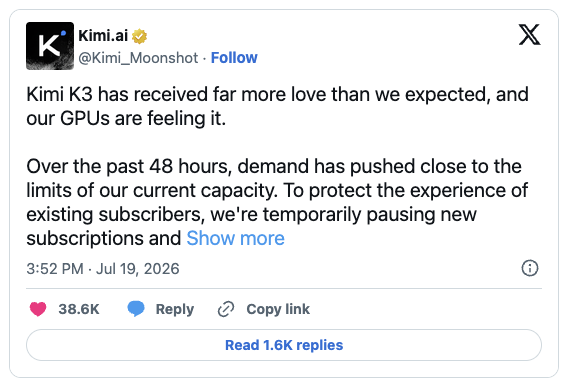
Without a paid subscription, and without the CLI, I’m stuck with the free-tier desktop app. When I tried my first prompt, Kimi told me to get in line.
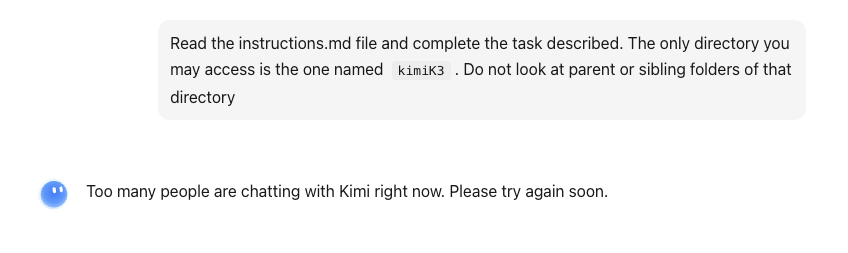
Like Elon Musk at Berghain, I’m being turned away at the door. It’s currently July 30th as I’m writing this article, more than 10 days since Moonshot AI raised the drawbridge on its Kimi K3 model. I made a commitment to publish this post before the end of July, and I’m starting to lose hope that I’ll get off the waitlist in time.
And so it’s with a heavy heart that I must officially disqualify the Kimi K3 model from this experiment. Maybe I’ll do a follow-up post later once I clear the waitlist.
TL;DR
What have we learned? Well, for one thing, the frontier models in mid-2026 are good…really good. If your instructions are specific enough, and you can provide some images to take the guess work out of interpreting your prompt, AI can get you 80-90% of the way to production-ready code.
A word of caution though: 80-90% seems like a lot, but in a large project, that missing 10-20% is multiplied on tens of thousands of lines of code. Don’t set them loose on critical infrastructure, and understand that they can produce code much faster than you can review it.
I do think Claude Fable 5 is the better model at the moment. The results of GPT-5.6 Sol are impressive, but compared to Claude, it needed several more prompts, used 25-times the amount of tokens, and took 3 times longer to complete the task. This is just one dude’s unscientific test, but to me that matters. For now, Anthropic’s tools are the ones I’ll reach for first.
Technologies Used
- React – the world’s most popular frontend web framework. Open-sourced by Meta in 2013.
- Lottie – JSON-based animation file. Contains a digital description of shapes and motions that drive an animation.
- HTML Canvas API – Provides the means to draw shapes on the screen in a web browser.
- lottie-react – An open-source project for consuming Lottie files.
- Adobe After Effects – I used the LottieFiles plugin to rig the character and export the JSON file.
- Adobe Illustrator – For creating the image files
The full code for this project is available on my GitHub.